Patterns Every Character Controller Needs
Jan 09, 2026
Welcome to Local Space.
If you are new here, this is my recurring dev log. I spend my week building in Unity, figuring out how to make things work, and inevitably breaking them. Then, I share the notes, tools, and code snippets that actually survived the process.
In this log, we are moving beyond simple inputs. We are looking at essential character development patterns —from the architecture that manages your state to the invisible design tricks that make movement feel responsive.
1. Coyote Time (Game Design Theory)
Strictly speaking, if a player presses "jump" 0.1 seconds after walking off a ledge, they fell. They missed the jump. However, Game Design Theory dictates that "feeling right" is more important than "being realistic."
- Coyote Time: Allows the player to jump for a few frames after leaving the ground.
- Jump Buffering: Registers a jump input a few frames before the character hits the ground, executing it the moment they land.
💡 The Takeaway
Great design is invisible. If you remove these patterns, players won't blame the code—they will blame themselves or call the game "clunky."
2. Finite State Machines (Technical Deep Dive)
How do you ensure a player can't cast a spell while climbing a ladder? You use a Finite State Machine (FSM).
Implementing a clean FSM prevents "spaghetti code" where you have hundreds of boolean checks. It decouples logic, making your character controller scalable and bug-resistant.
public enum PlayerState { Idle, Run, Jump, Climb }

private void UpdateState()
{
    switch (currentState)
    {
        case PlayerState.Climb:
             // Ignore Attack inputs here
             HandleClimbing();
             break;
        case PlayerState.Run:
             if (jumpAction.WasPressedThisFrame())
                 TransitionTo(PlayerState.Jump);
             break;
    }
}
3. Inverse Kinematics (Asset Spotlight)
Nothing breaks immersion faster than a character floating on a slope with one foot in the air. Coding a custom IK solver from scratch is a massive undertaking involving complex trigonometry.
The Tool Spotlight: For Unity developers, tools like Final IK or the built-in Animation Rigging package are industry standards.
Using established assets for IK isn't "cheating"—it's smart resource allocation. You simply tell the tool "put the foot here," and it naturally bends the knee and rotates the hip to match.
4. Hit Stop (Game Design Theory)
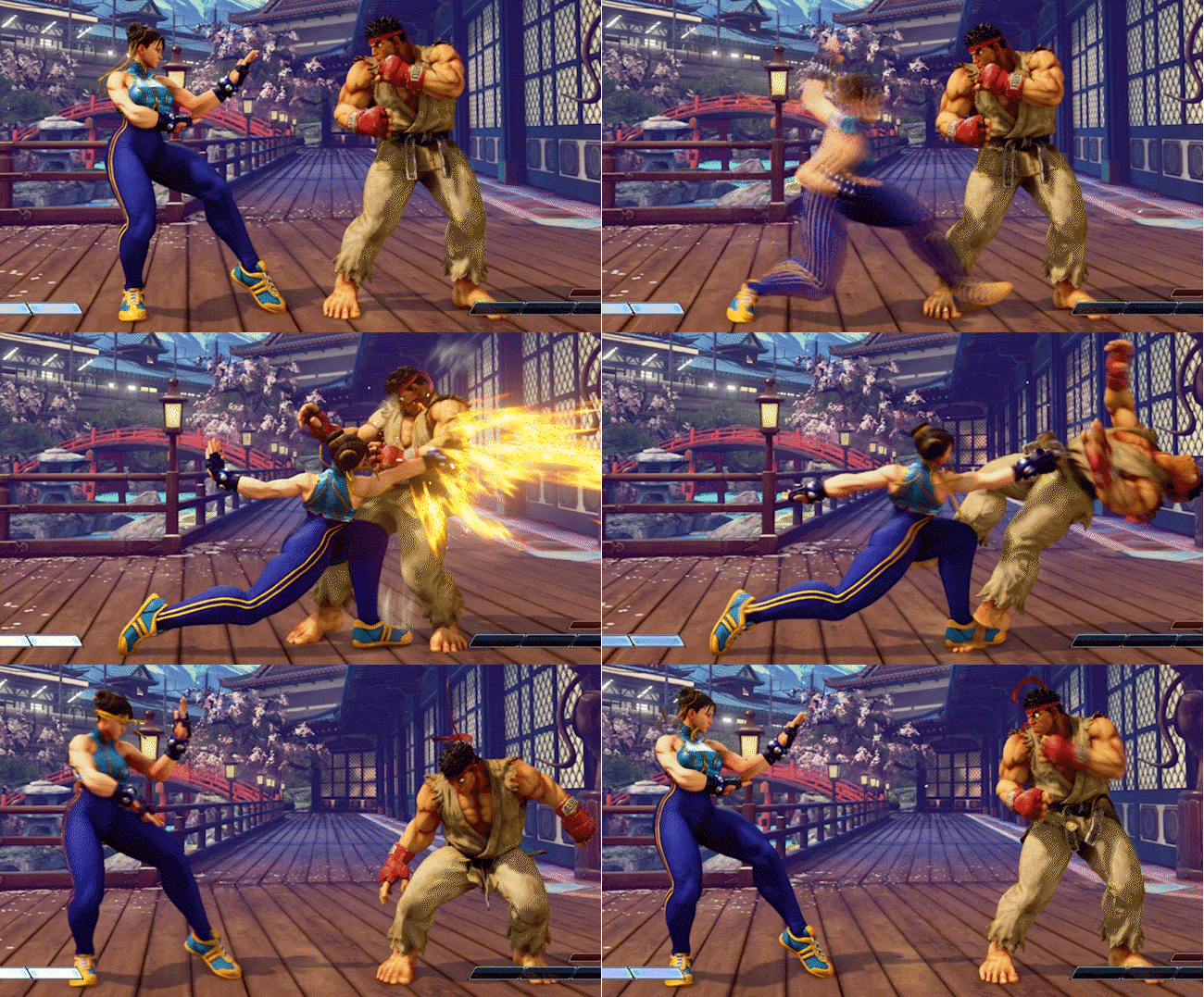
When a character lands a heavy attack, the animation and sometimes the entire game frame should freeze for a tiny duration (e.g., 0.1s). This sells the impact of the blow.
🥤 Adding the "Juice"
Without Hit Stop, attacks feel like sliding a knife through warm butter—smooth, but weightless. With Hit Stop, the player feels the resistance. It turns a simple animation into a tactile crunch.
5. Modular Customization (Business of Indie Dev)
From a business perspective, how you build your character system dictates your monetization and scope.
If you build a Modular System (separate meshes for head, torso, legs) rather than a single mesh, you open up specific business opportunities:
- Scalability: Add content updates without breaking the base game.
- Monetization: Cosmetic skins and DLC become viable revenue streams.
- Scope Management: You can launch with 3 armor sets and add 10 more later.
Deciding to go modular increases upfront dev time but drastically increases the long-term value (LTV) of your asset pipeline.
// When you are ready
Here are 3 ways I can help you level up your game dev journey:
Local Space is a production of Faktory Studios.
© 2024 All rights reserved.
Join the Local Space Newsletter
Weekly Unity dev tips, tools, and short lessons to help you build faster and ship real projects.
We hate SPAM. We will never sell your information, for any reason.