$19.99
on the Unity Asset Store
ORDO FOR UNITY
Find Unity project risks before release.
ORDO checks texture, model and audio import settings, plus missing scripts and broken references in prefabs and scenes. Editor-only, with zero footprint in game builds.
Unity 2022.3 LTS and newerRuns in CIFully offline, no account
33
built-in import policies
0
footprint in game builds
2022.3+
Unity LTS and newer
$19.99
on the Unity Asset Store
The problems you find at the worst possible time
None of it breaks the Editor. It just quietly costs you build size, memory and time, and you find it the week you are trying to ship.
Read/Write left on
A model ships with Read/Write left on.
Audio that doubled the bank
Audio that should have been mono doubled your bank size.
A script lost three merges ago
A prefab lost a script three merges ago and nobody noticed.
Settings that drifted
Textures drifted off the filter and compression settings the project agreed on.
How it works
1
Scan
ORDO evaluates readiness conditions across textures, models, audio, prefabs and scenes.
2
Understand
Every finding has a severity, the rule it violates, and the expected versus actual evidence.
3
Fix, with your confirmation
One-click fixes show what they will change. Missing scripts and broken references are guided, never auto-removed.
4
Verify
Nothing is marked resolved until a rescan confirms it.
NEW IN 1.3.1
Organization that asks first
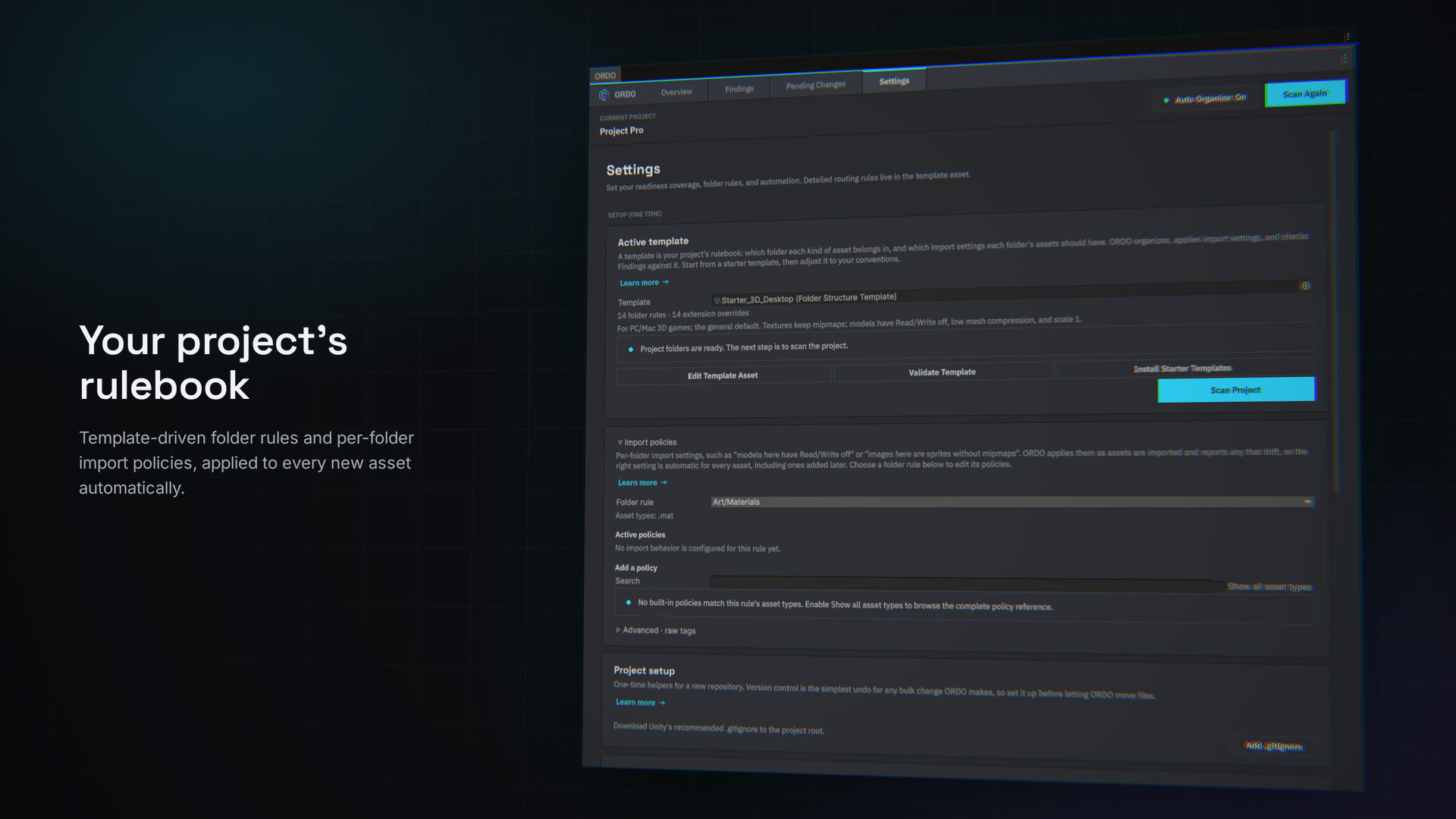
ORDO files assets into your template's folders through Unity's asset database, so references, prefab links, and scene assignments stay intact. It never deletes a file.
Only the folders you choose. Tick the folders that are yours in Settings. Imported and third-party assets stay exactly where they are.
Automatic, or with your approval. With Auto Organize on, new files are filed as they arrive. Files already in your project are only ever proposed in Pending Changes.
Rules as precise as you need. Extension overrides, wildcard rules like *Manager*, priorities, and Keep Here exceptions.
Undo. One click puts the last organize run back.
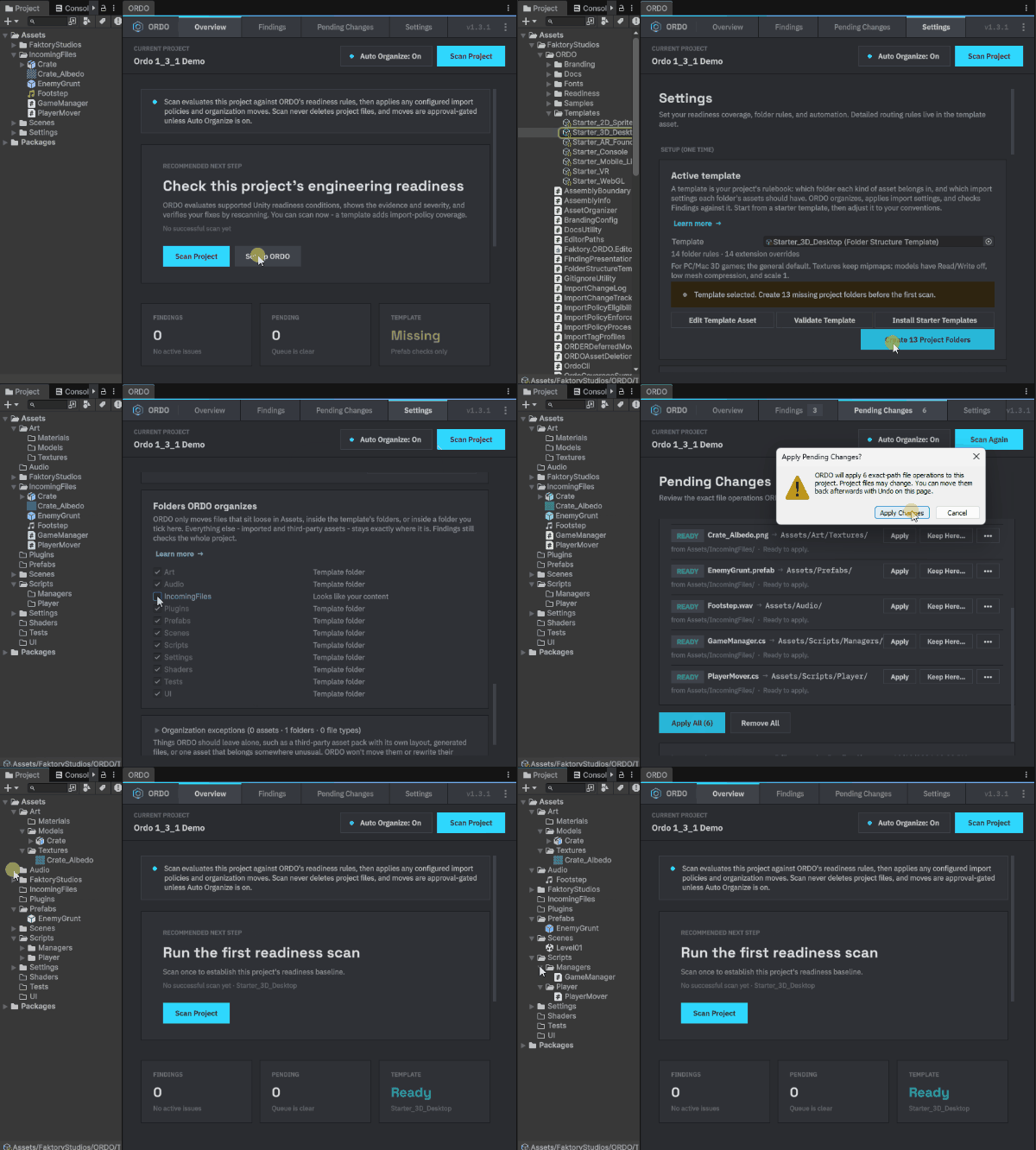
See ORDO in action
Real screenshots from the Unity Editor.
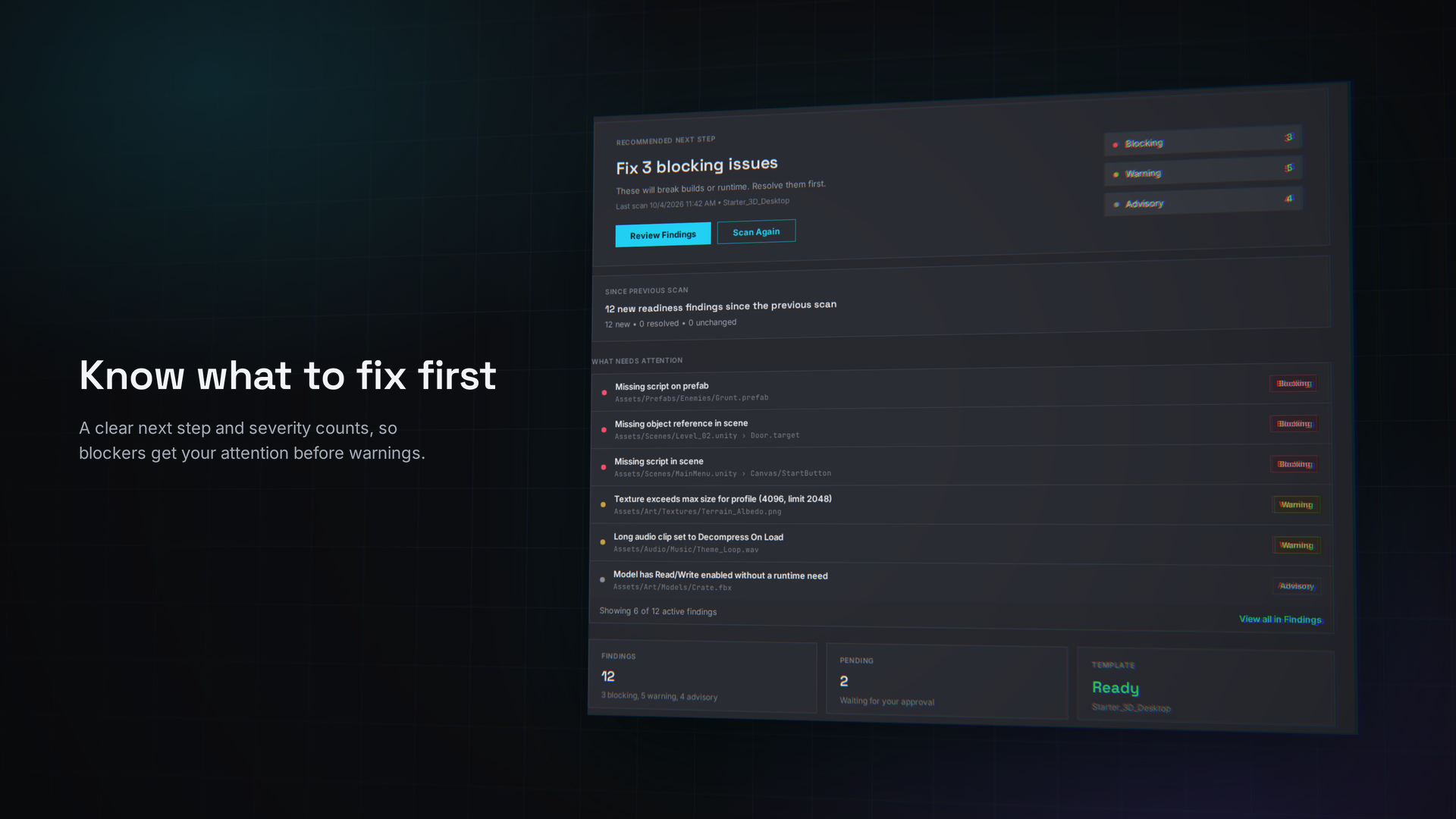
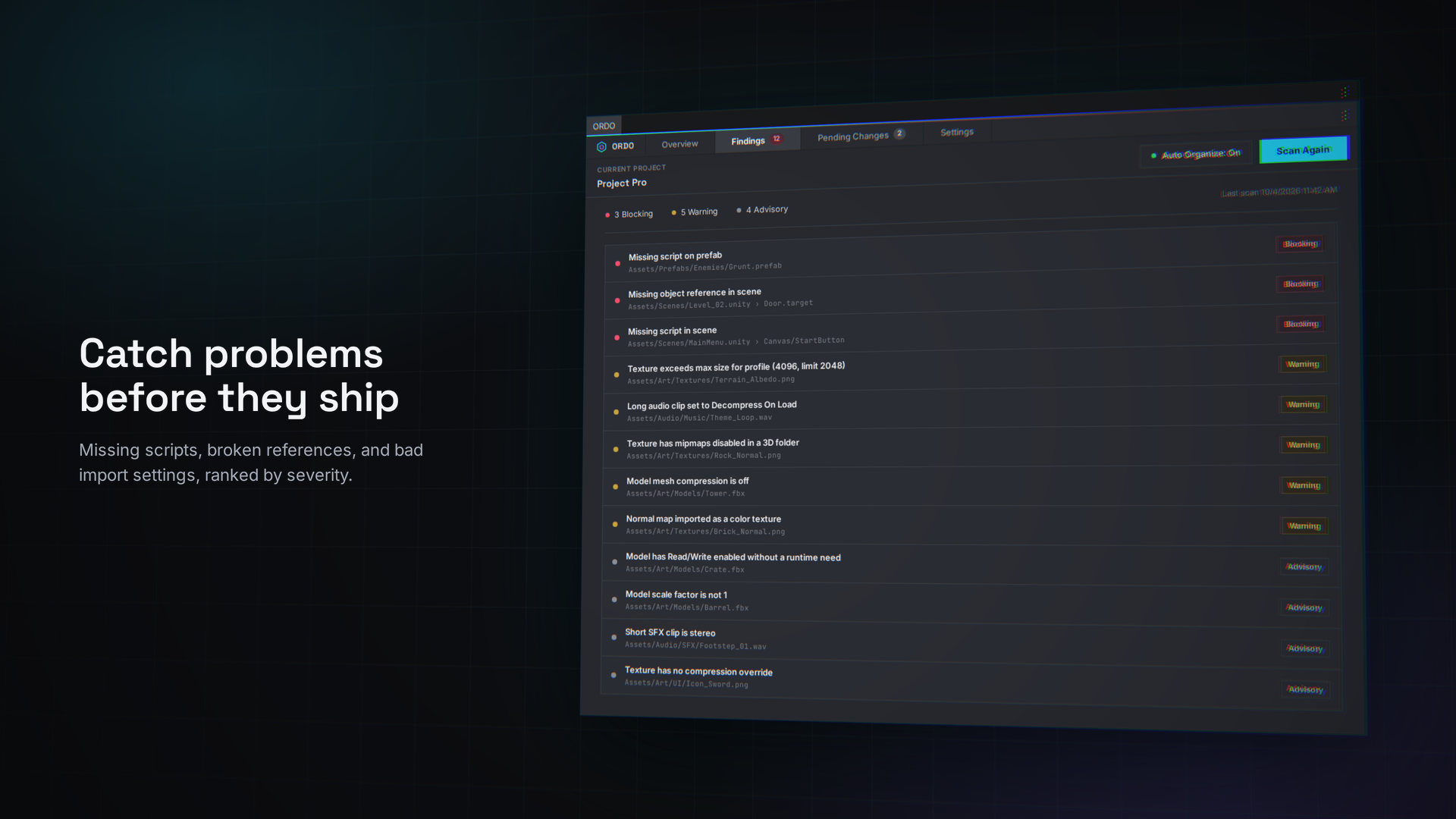
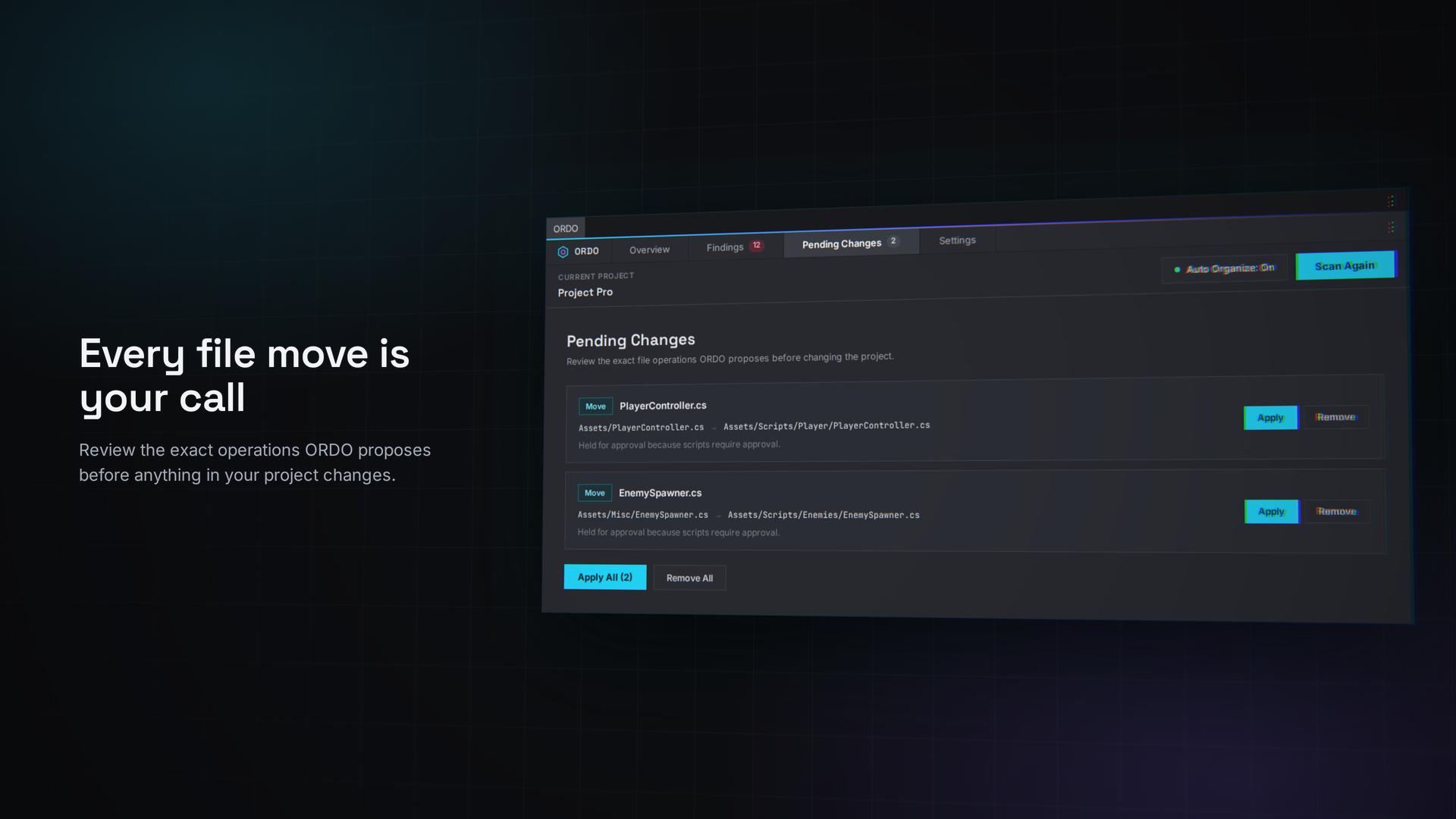
Find the risks while they are cheap to fix
$19.99 on the Unity Asset Store
What a scan checks
TexturesMipmaps, filter mode, anisotropy
ModelsRead/Write, global scale, mesh compression, rig type
AudioLoad type, compression format, force-to-mono, ambisonic, import quality
PrefabsMissing MonoBehaviour scripts and serialized references whose target is gone
ScenesMissing scripts and broken references, grouped as Scene Integrity
Scope, stated plainly: a clean scan means the checks ORDO runs passed. It does not certify whole-project readiness, and it does not cover build settings, Addressables or required-field checks.
One policy for the whole team
Export your folder rules and import policies to a single policy file, commit it, and every developer scans the same way. ORDO tells you when your local setup has drifted from the committed file. Fully offline, no account.
Runs in CI
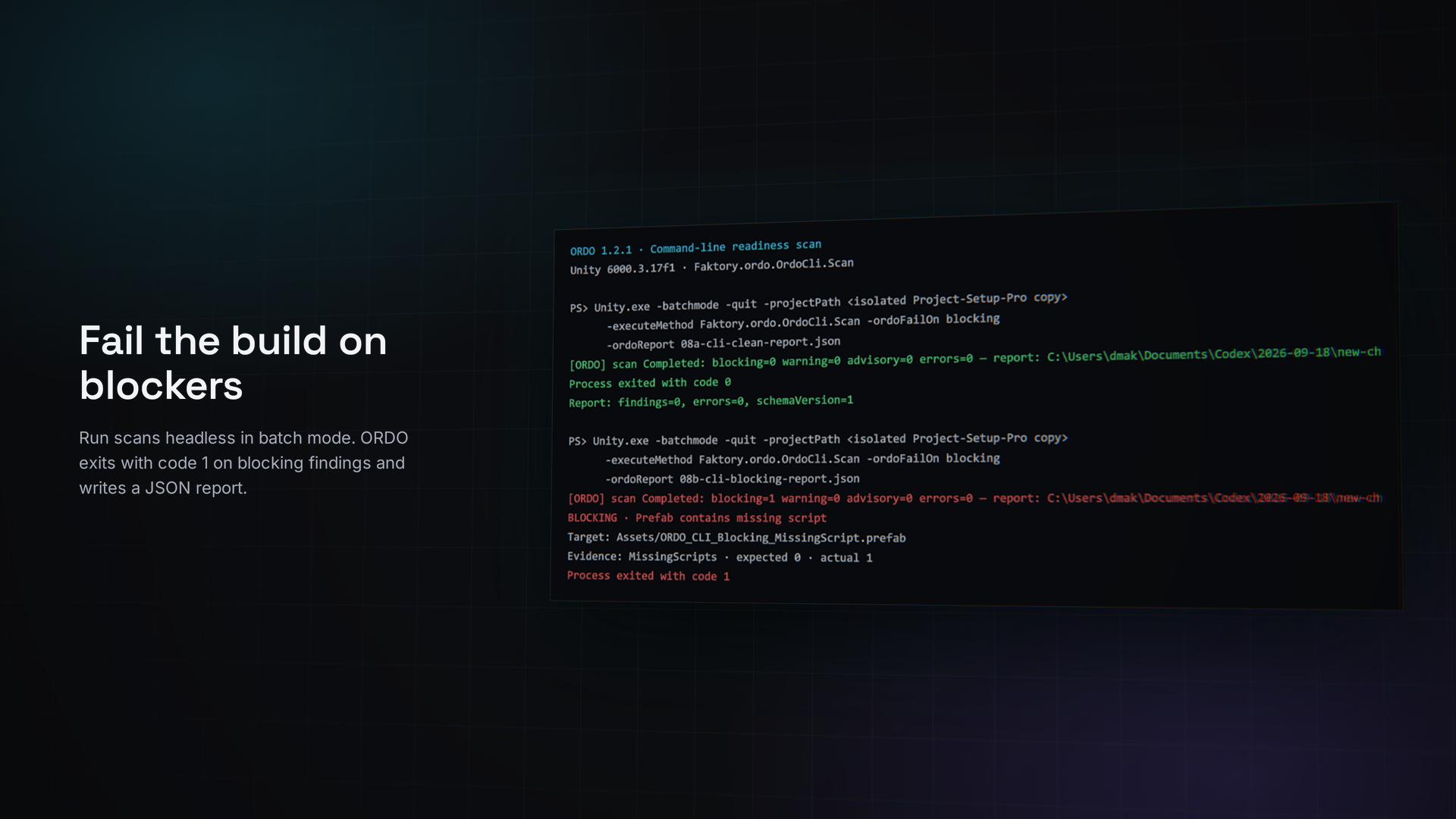
Run a read-only readiness scan in batch mode with no Editor window. ORDO writes a structured JSON report and exits non-zero on a Blocking finding, enough to fail a build. It never moves assets or changes importers.
Keep reading
New ORDO releases and Unity dev notes
Local Space, weekly. Unsubscribe anytime.
Questions
Will ORDO delete or change my files without asking?
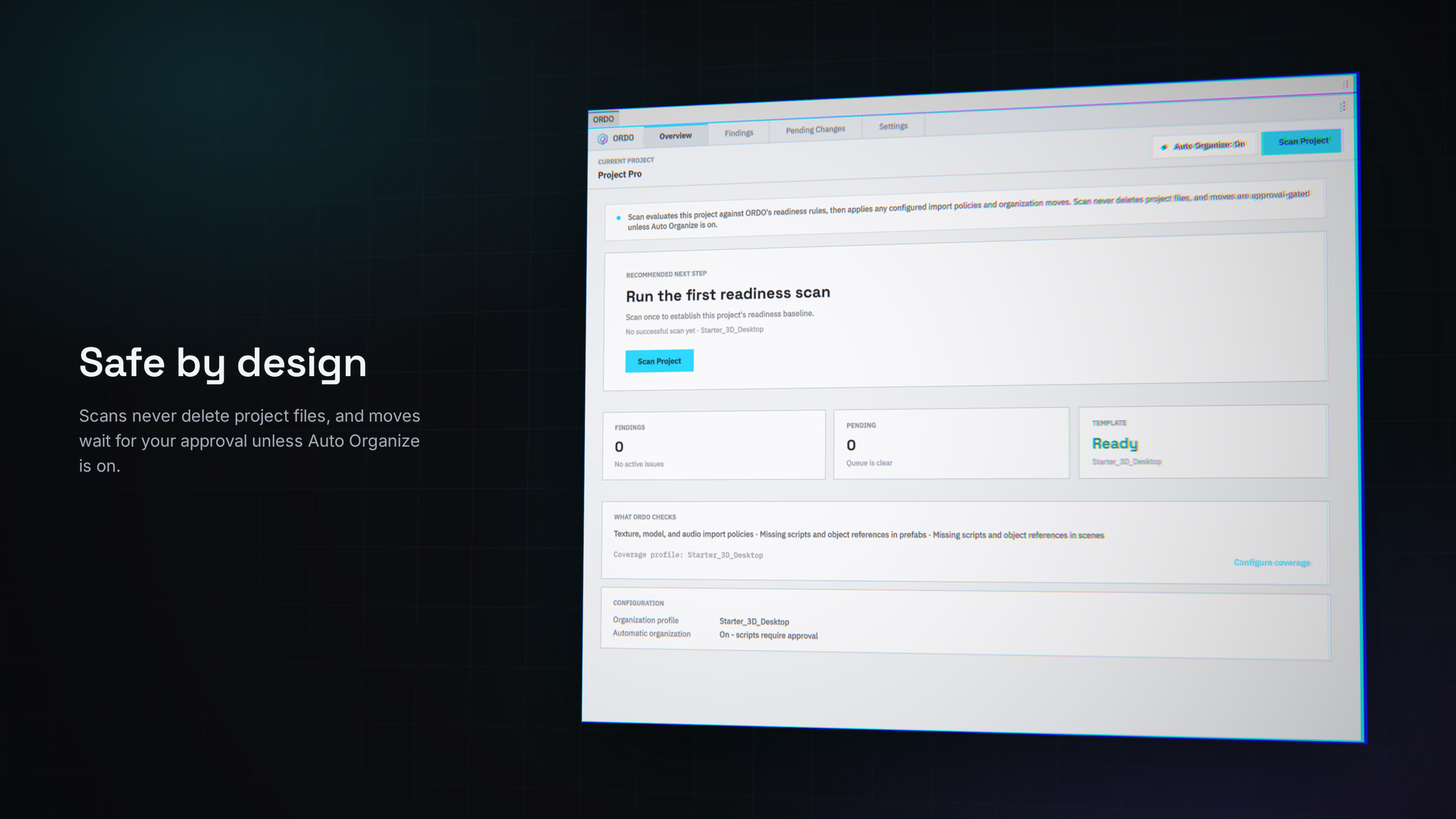
No. Scans never delete project files, and ORDO never removes a component or clears a reference for you. Fixes preview the change first.
Does a clean scan mean my project is ready to ship?
A clean scan means the checks ORDO runs passed. It is not a claim about the whole project.
Can I run ORDO in CI?
Yes. Batch mode writes a JSON report and exits non-zero when there is a Blocking finding.
Does ORDO add anything to my game build?
No. It is Editor-only, with zero footprint in game builds.
Which Unity versions does it support?
Unity 2022.3 LTS and newer.
Find the risks before release
Catch the import-setting and integrity problems that cost build size, memory and debugging time while they are cheap to fix.
$19.99 on the Unity Asset Store
Also included free with the Unity local multiplayer course.